
The best times tables app depends less on which game looks the most impressive and more on how a child learns. For fast recall and test preparation, Hit the Button is one of the strongest choices. DoodleTables stands out for personalised, adaptive practice. Times Tables Rock Stars is particularly effective for children motivated by competition and rewards, while Maths Rockx takes a very different route by connecting multiplication facts with music.
Squeebles offers a gentler game-based experience with detailed progress controls, while Math Loops suits children who benefit from short, relatively distraction-free drills.
For families in England, speed matters as well as accuracy. The statutory Year 4 Multiplication Tables Check asks 25 questions covering tables up to 12, with six seconds allowed for each answer. There is no pass mark, but the test is explicitly designed to assess fluent recall.
Best times tables apps at a glance
| App | Recommended age | Pricing model | Best for | Learning style |
|---|---|---|---|---|
| Squeebles Times Tables | 5-11 | Current Connect version uses subscription access; legacy standalone version was a one-off purchase | Children who need rewards without intense competition | Games, active recall and progressive practice |
| Hit the Button | 5-11 | Free web game; paid mobile/desktop app | Speed, mental maths and MTC-style fluency | Fast timed drills |
| Maths Rockx | Primary-age learners | Historically sold as an app with music content; current regional availability should be checked before purchase | Children who remember through music | Auditory and rhythmic learning |
| Times Tables Rock Stars | About 6-14 | Family or school subscription | Competitive and highly game-motivated children | Gamification, speed and repeated recall |
| DoodleTables | 4-14 | Included with a DoodleMaths subscription | Children with uneven strengths and weaknesses | Personalised, adaptive learning |
| Math Loops | About 4-10+ | Free/Lite versions and platform-dependent purchases | Simple, repetitive practice | Direct visual and tactile drills |
1. Squeebles Times Tables: best for rewarding practice without excessive pressure
Recommended age: 5-11
Price/model: The original Squeebles Times Tables app has become a legacy product. KeyStageFun says it was replaced by Squeebles Times Tables Connect, which uses the newer connected Squeebles platform.
Main strength: A strong balance between game rewards and meaningful multiplication practice.
Game type: Character collection, challenges, rewards and structured multiplication exercises.
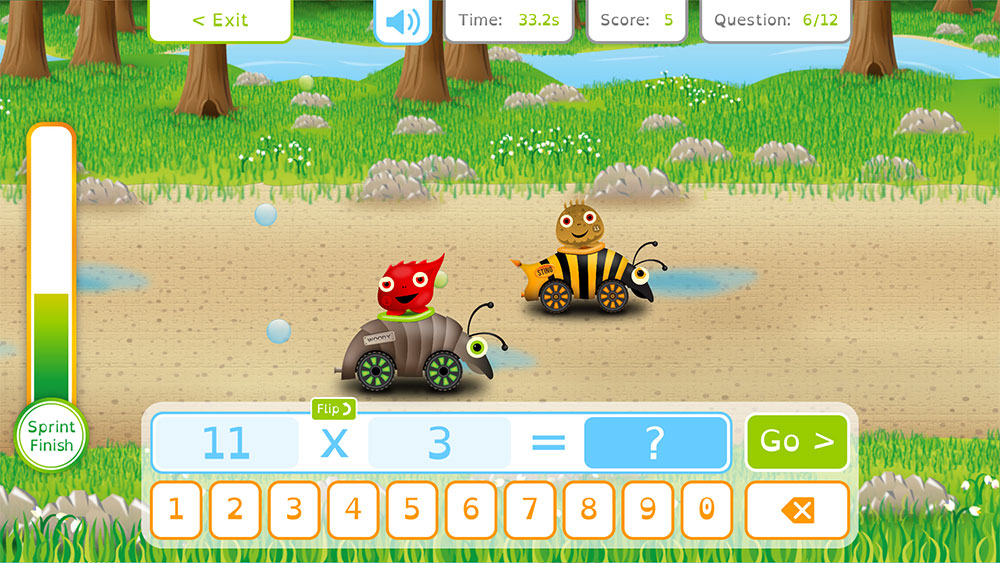
Squeebles is a good fit for children who resist worksheet-style repetition but do not necessarily enjoy competing against other players. The original app turned correct answers into progress through a light storyline, with Squeebles to rescue and rewards to unlock.
Its educational controls have traditionally been one of its strongest points. The standalone version allowed adults to inspect incorrect answers, identify troublesome facts, control which tables appeared and choose between multiple-choice and direct-entry answers. It also supported multiple child profiles.
That last distinction matters. Selecting 56 from several visible answers when asked for 7 × 8 relies partly on recognition. Typing 56 without prompts requires stronger retrieval from memory. For a child who already understands multiplication but needs fluency, direct-entry practice usually gives the more demanding workout.
The main purchasing caveat is that parents may still find reviews referring to the older standalone Squeebles Times Tables 2. KeyStageFun now recommends its Connect product as the long-term option, so check which version a review is discussing before comparing costs or features.
2. Hit the Button: best for rapid recall and Year 4 MTC practice
Recommended age: 5-11
Price/model: Free in a web browser; the app is a one-off purchase. The UK App Store currently lists it at £3.49, although store prices can vary by country.
Main strength: Fast, concentrated mental maths practice.
Game type: One-minute quick-fire challenges plus an untimed practice option in the paid app.
Hit the Button has one of the simplest ideas in this comparison, and that simplicity is its advantage. A question appears, several large buttons provide possible responses, and the child tries to answer as many as possible.
Multiplication is only part of the package. It also covers division facts, number bonds, doubling, halving and square numbers, with 166 game modes advertised in the current app. Times tables and division can be practised up to 12.
For children preparing for England’s Multiplication Tables Check, the rapid-fire format is particularly relevant. The real MTC allows six seconds for each of 25 questions, so practice in which retrieval has to become automatic can expose facts that a child technically knows but cannot yet retrieve quickly enough.
The free-versus-paid distinction is worth understanding. The browser game provides the core quick-fire experience at no charge. The purchased app adds features including an untimed mode, individual profiles, score and trophy tracking, offline play and an ad-free experience. Topmarks says up to 30 local profiles can be created on a device.
That makes the app especially practical for classrooms or households sharing a tablet.
3. Maths Rockx: best for children who learn through music
Recommended age: Mainly primary-age children
Price/model: Historically offered as a paid app/music product. Current availability and pricing vary by region and should be confirmed in the relevant app store.
Main strength: Associating multiplication facts with memorable melodies and rhythms.
Game type: Musical times-table learning with quizzes.
Maths Rockx approaches multiplication from a completely different direction. Instead of making the child faster at tapping answers or rewarding them with an avatar, it turns tables into lyrics sung to familiar-style pop and rock arrangements.
The concept was created by Australian primary teacher Joanne Smedley after using songs and rhythm to reinforce multiplication recall in her classroom. Historical versions covered the 2 to 12 tables, combining vocal and instrumental tracks with a multi-level quiz.
This can be valuable when ordinary flashcards repeatedly fail to stick. A child may struggle to reconstruct a visual multiplication grid yet remember a sequence naturally when it is attached to a melody.
It should not, however, be treated as a complete substitute for independent recall practice. Singing an entire table in sequence is different from immediately answering an isolated question such as 7 × 8. The strongest use of Maths Rockx is therefore as a memory-building tool paired with randomised retrieval questions.
There is also a purchasing caveat. Recent authoritative store information is less easy to verify than for the other major apps in this comparison, and older listings reference versions dating back several years. Parents should confirm that Maths Rockx is currently supported on their particular device and regional store before buying.
4. Times Tables Rock Stars: best for competitive children
Recommended age: Approximately 6-14
Price/model: Paid family and school subscriptions.
Main strength: Turning repeated multiplication and division practice into a highly motivating game.
Game type: Rock-star avatars, virtual currency, multiplayer competition and timed challenges.
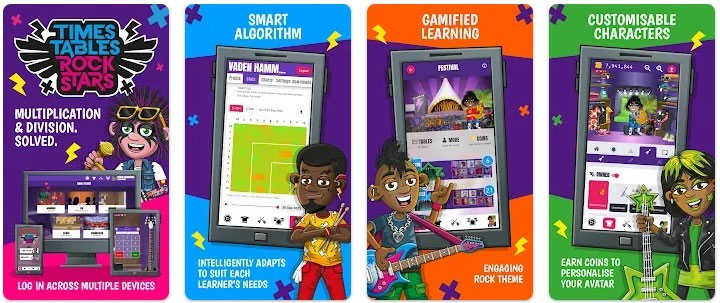
Times Tables Rock Stars, usually shortened to TTRS, is one of the most heavily gamified options. Children create a rock identity, earn virtual currency and customise their avatar while improving multiplication and division fluency.
For some children, that framework solves the hardest problem in times-table practice: getting them to return tomorrow. Competition, visible progress and rewards can make repetition feel purposeful instead of punitive.
TTRS is not restricted to schools. Families can subscribe independently and receive separate child and adult accounts, browser and app access, and progress statistics. Its current UK purchase page advertises a £9 annual family plan including three child and two adult accounts, although prices should always be rechecked at the point of purchase.
The possible downside is the same feature that makes it attractive. Children who become absorbed in avatars, status or competition can focus on the game layer rather than the mathematical objective. Parents should judge the product by actual questions answered and improvements in weak tables, not simply by minutes spent logged in.
For a child who loves competing against classmates or beating a personal speed record, however, TTRS is difficult to ignore.
5. DoodleMaths Times Tables / DoodleTables: best adaptive times tables app
Recommended age: 4-14
Price/model: Included with a DoodleMaths subscription.
Main strength: Personalised practice that responds to a child’s current knowledge.
Game type: Adaptive exercises, interactive questions and timed challenges.
DoodleTables is the specialist times-tables product within the wider DoodleLearning ecosystem. It should not be confused with DoodleMaths itself, which covers a much broader maths curriculum.
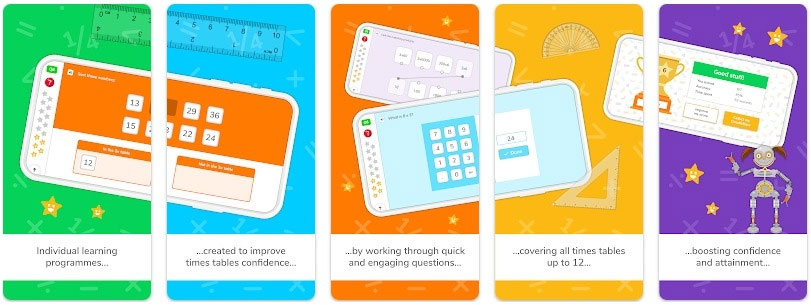
Its biggest advantage is personalisation. Rather than giving every child the same sequence of questions, DoodleTables builds practice around the learner’s existing knowledge and progress. It combines learning exercises with a 60-Second Challenge designed to strengthen instant multiplication and division recall.
This matters for children with uneven fluency. A learner may answer the 2, 5 and 10 tables almost instantly while repeatedly hesitating over 6 × 7 or 8 × 9. Giving every fact equal practice wastes time. Adaptive systems can concentrate more effort where it is useful.
DoodleTables also offers parent-facing progress information. Parents can see which tables have been mastered and can assign or restrict particular tables through the dashboard and app controls.
Accessibility is another advantage. DoodleLearning currently advertises features including audio dictation and coloured overlays, as well as online and offline use.
The trade-off is cost. DoodleTables is not generally positioned as a cheap standalone multiplication game. It comes with DoodleMaths, and current subscriptions include monthly, annual and, in some markets, lifetime options. Families considering it purely for times tables should compare that recurring or upfront cost with lower-cost products such as Hit the Button.
6. Maths Loops: best for simple, low-distraction repetition
Recommended age: Roughly 4-10+, depending on the version and exercise
Price/model: Free/Lite versions are available, with purchases or advertising varying by platform.
Main strength: Straightforward repetition without an elaborate game world.
Game type: Short maths drills covering multiplication and other arithmetic facts.
Math Loops is the opposite of Times Tables Rock Stars in presentation. Its value lies in keeping the interaction relatively simple rather than surrounding every answer with a large reward system.
The current Android listing for Math Loops covers multiplication, division, addition and subtraction and presents itself as a basic practice game for children. An iOS Lite times-tables version also remains listed on Apple’s App Store.
That simplicity can be useful for a child who loses focus when educational apps contain too many characters, currencies, menus or collectible items. The aim is closer to repeated retrieval practice than to an adventure game.
Parents should pay close attention to the exact product name before installing it. Several Math Loops apps exist, including separate addition/subtraction and multiplication products, so store searches can surface a different Learning Loops-style exercise from the times-tables quiz intended here.
Which times tables app fits your child?
| If your child… | Best starting point | Why |
|---|---|---|
| Hates conventional maths practice | Squeebles Times Tables | Rewards and characters soften the feeling of repetitive drilling. |
| Needs to answer faster | Hit the Button | Quick-fire questions make recall speed the central challenge. |
| Loves music or remembers song lyrics easily | Maths Rockx | Rhythm and melody provide an alternative memory cue. |
| Is highly competitive | Times Tables Rock Stars | Scores, avatars and multiplayer elements make progression visible. |
| Has very uneven strengths across different tables | DoodleTables | Personalised practice targets gaps more intelligently. |
| Gets distracted by elaborate games | Math Loops | A simpler interface puts more attention on repeated questions. |
Gamification vs pure practice: which is actually better?
Gamification is useful when motivation is the main obstacle. If a child will answer 50 multiplication questions inside a game but refuses to answer ten on paper, characters, currencies and scoreboards have done something valuable.
But screen time is not the same as maths practice time. A parent comparing apps should ask how much of a ten-minute session is spent answering questions and how much is spent changing avatars, collecting rewards or navigating menus.
This creates two broad groups. Squeebles and TTRS make the surrounding game part of the motivation. Hit the Button and Math Loops put much less distance between opening the activity and answering a maths question.
Neither approach is universally superior. A child who is already willing to practise may gain more from a focused drill. A reluctant learner may need a stronger game layer simply to build a consistent habit.
Multiple choice or keypad input: why the answer method matters
Two multiplication apps can ask exactly the same question while demanding different levels of memory.
With multiple choice, the correct answer is visible somewhere on the screen. The child must recognise it. With keypad or typed entry, the answer has to be retrieved and produced without that cue.
For early learning, multiple choice can reduce frustration and help children notice numerical patterns. For established tables, direct entry is usually the better test of whether recall has become automatic.
This is particularly relevant to MTC preparation because the official Year 4 check requires pupils to enter the answer rather than choose it from a list.
Which apps are best for the Year 4 Multiplication Tables Check?
The English MTC consists of 25 onscreen questions covering the 2 to 12 tables. Pupils have six seconds to answer each question, followed by a three-second pause. Government guidance says harder tables, particularly 6, 7, 8, 9 and 12, receive additional emphasis in the question bank.
Hit the Button is excellent for developing the habit of answering under time pressure. TTRS is also strongly oriented toward rapid recall, while DoodleTables includes a 60-Second Challenge covering multiplication and division and explicitly describes it as useful preparation for the Year 4 MTC.
A child should not spend every practice session racing a clock, however. If an answer is repeatedly wrong, slowing down and rebuilding the underlying fact is more productive than repeatedly rehearsing the mistake at speed.
How much should parents spend on a times tables app?
The pricing models are unusually varied.
- Hit the Button offers a genuinely useful free browser game, while its paid app adds offline access and extra tracking features.
- TTRS uses a relatively inexpensive annual family subscription as well as school licensing.
- DoodleTables comes as part of a broader DoodleMaths subscription, making it more expensive but also considerably broader in its personalised learning infrastructure.
- Squeebles has moved from its older one-off standalone model toward Squeebles Connect.
- Math Loops has free/Lite availability, with the exact monetisation differing between versions.
- Maths Rockx should be checked in the relevant regional store because current availability and pricing are less consistent.
The cheapest product is not necessarily the best value. A £3 or £4 app that a child happily uses five days a week can outperform a sophisticated subscription they avoid. Equally, paying more for adaptive learning can make sense when a child needs carefully targeted intervention rather than generic drills.
Can times tables apps help children with dyslexia or dyscalculia?
They can be useful, but no multiplication app should be presented as a treatment for dyslexia or dyscalculia.
Different interfaces may reduce specific barriers. Maths Rockx provides auditory and rhythmic cues. DoodleTables currently promotes audio dictation and coloured overlays. Untimed practice in Hit the Button can remove the countdown pressure for children who become anxious when speed is introduced too early.
For a child with persistent difficulty understanding number relationships, random repetition alone may not be enough. Practice works best alongside appropriate teaching and, when needed, support from the child’s school or a qualified specialist.
How long should children practise times tables each day?
Short, regular practice is usually more realistic than occasional long sessions. Around five to ten focused minutes can be enough for many primary-age children, particularly if the session concentrates on a small number of weak facts rather than cycling mechanically through every table.
DoodleLearning itself promotes a “little and often” approach and describes DoodleTables activities around short daily use.
Quality matters more than keeping the app open for a fixed amount of time. Ten minutes containing dozens of genuine retrieval attempts is much more useful than ten minutes largely spent browsing rewards or customising characters.
Which is the best times tables app overall?
There is no single winner for every child. Among the best times tables apps, Hit the Button is the easiest recommendation for focused, inexpensive recall practice, especially because families can try the browser version for free before buying anything.
DoodleTables is the stronger option when personalisation and detailed progression matter most. Times Tables Rock Stars is particularly compelling for competitive children, Squeebles works well for learners motivated by gentler rewards, and Maths Rockx offers a genuinely different route for children who remember through music.
Math Loops is worth considering when simplicity itself is the requirement.
The most useful test is not how entertaining the app appears in its store screenshots. After two or three weeks, check whether the child answers previously difficult facts more accurately, more independently and with less hesitation. That is the outcome the game mechanics are supposed to produce.
Frequently asked questions
Which app is best for a child who hates maths?
Squeebles is a strong starting point for children who need characters and rewards to make practice feel less like a drill. Times Tables Rock Stars can work better for children motivated by competition, while Maths Rockx is worth considering for children who respond strongly to music.
At what age should a child start using a times tables app?
Many of these apps target children from around age five or six, but readiness matters more than the number on the app listing. Children should first understand what multiplication represents rather than simply memorising disconnected answers.
Do times tables apps work offline?
It varies. The paid Hit the Button app explicitly supports offline play, and DoodleTables advertises offline use. Squeebles Connect requires connectivity for its connected platform features. Browser-based games naturally require web access.
Is the free Hit the Button website the same as the paid app?
No. The free website includes the core timed mental-maths game. The purchased app adds features such as untimed practice, individual profiles, result tracking, trophies, offline play and an ad-free experience.
Do these apps teach division as well as multiplication?
Several do. Hit the Button includes division facts up to 12, TTRS develops multiplication and division skills, DoodleTables includes division in its 60-Second Challenge, and current Math Loops listings include multiplication and division practice.
Which app gives parents the best progress tracking?
DoodleTables and Times Tables Rock Stars provide some of the strongest parent-facing progress tools in this group. Squeebles has also historically offered detailed information about incorrect and troublesome facts. Hit the Button’s paid app tracks individual profiles, scores and results locally on the device.

